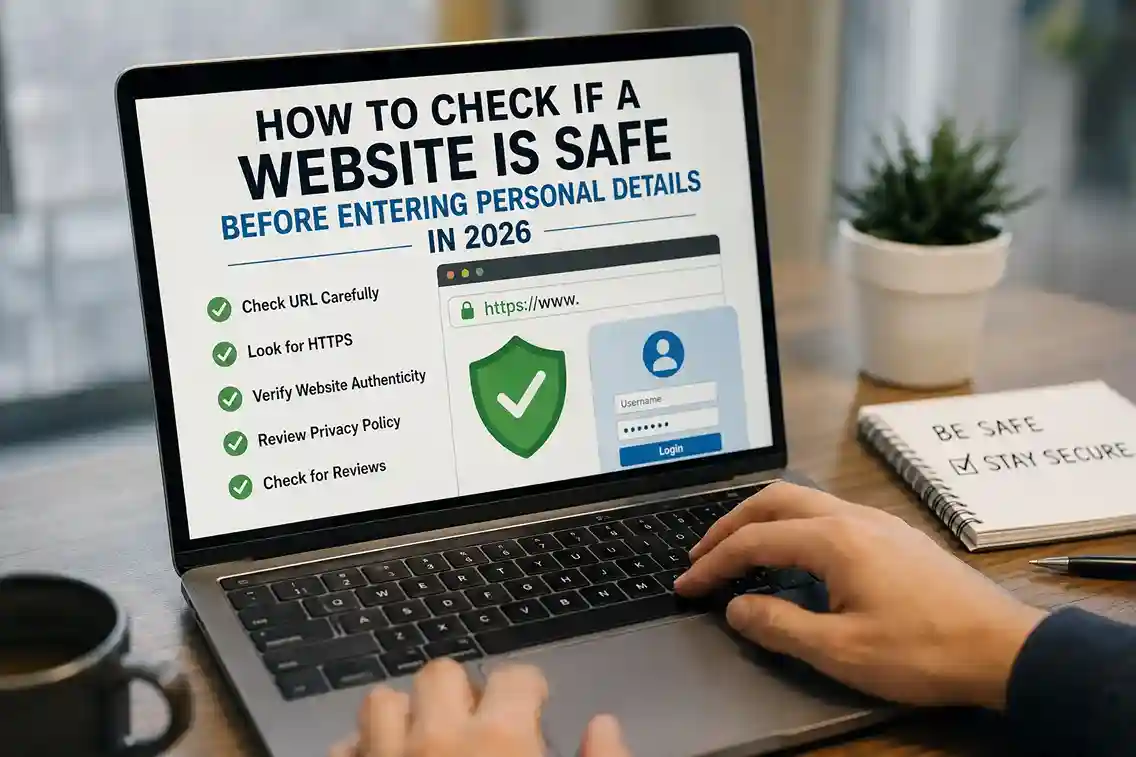
Learning how to check if a website is safe before entering personal details in 2026 has become an essential online safety skill. People now enter personal information online almost every day while shopping, creating accounts, applying for jobs, signing up for services, or using banking apps.
In many real-world situations, users trust websites too quickly because the page looks professional or appears in search results. A common mistake people make is assuming a polished design automatically means a website is trustworthy.
Unfortunately, scammers now create:
- fake shopping websites,
- cloned login pages,
- fraudulent customer support portals,
- and AI-generated phishing sites
that can look surprisingly convincing.
That is why safer browsing habits matter more than ever. Readers who already follow stronger account security practices from How to Use a Password Manager in 2026 and How to Set Up Two-Factor Authentication in 2026 already have better protection, but even strong passwords cannot protect information entered directly into a fake website.
The Federal Trade Commission also warns consumers that scammers increasingly use fake websites and urgent messages to pressure users into sharing sensitive information quickly, according to the FTC scam prevention guidance.
Why Website Safety Matters Before Sharing Personal Information
A website can look legitimate while still being dangerous.
Some unsafe websites are designed specifically to:
- steal passwords,
- collect payment information,
- capture personal identity details,
- or install malicious software.
For example:
- a fake job application may request identity documents,
- a fake bank page may ask for login credentials,
- or a fake online store may collect payment details without ever shipping products.
People who already learned how to Spot Phishing Emails and Scam Links in 2026 will notice that fake websites often use the same psychological tactics as phishing emails:
- urgency,
- fear,
- fake authority,
- and emotional pressure.
The Cybersecurity & Infrastructure Security Agency (CISA) also explains that social engineering attacks often succeed because users are manipulated into trusting the wrong source before verifying it, according to the CISA social engineering guidance.
How to Check If a Website Is Safe Before Entering Personal Details in 2026
The safest approach is to check multiple trust signals before entering any information.
No single safety indicator is enough on its own.
1. Check the Website URL Carefully
The URL is one of the most important safety checks.
Unsafe websites often use:
- misspelled brand names,
- extra letters,
- unusual domain endings,
- or misleading subdomains.
For example:
- “paypa1.com”
- instead of “paypal.com”
may look convincing at first glance.
A common mistake people make is focusing only on the page design while ignoring the actual website address.
If you frequently use important services like banking or email accounts, saving official pages as bookmarks is much safer than clicking random search results every time.
This habit works especially well alongside safer browsing habits discussed in How to Stay Safe on Public Wi-Fi in 2026, where unsafe networks and fake login pages can appear together.
2. Look for HTTPS — But Don’t Trust It Blindly
Many people assume the padlock icon means a website is completely safe.
That is not always true.
HTTPS simply means:
the connection is encrypted.
It does NOT guarantee:
- the business is legitimate,
- the products are real,
- or the site is trustworthy.
In real-world situations, many phishing sites now also use HTTPS because obtaining encryption certificates has become easier.
That means HTTPS should be treated as:
- one positive signal,
- not final proof of legitimacy.
Google’s online safety team also advises users to combine browser security indicators with careful verification habits, according to the Google online safety resources.
3. Check Whether the Website Explains Who They Are
Legitimate websites usually provide:
- company information,
- contact details,
- customer support options,
- privacy policies,
- and refund terms where appropriate.
If a website requests sensitive information but provides almost no information about who operates it, that is a warning sign.
Ask yourself:
- Can I identify the business?
- Is there a real contact page?
- Does the privacy policy sound complete?
- Are support details realistic?
People already practicing stronger privacy habits from How to Keep Your Personal Data Safe Online are often more cautious about where they share personal information online.
4. Search for Independent Information About the Website
Do not rely only on what the website says about itself.
Search independently for:
- reviews,
- complaints,
- customer experiences,
- or official business references.
For example:
- if a shopping website claims to be well known,
- but no independent source mentions it,
- that should raise concerns.
A common mistake people make is trusting websites immediately because they appear professional or advertise large discounts.
Real verification requires checking outside sources too.
The Better Business Bureau Scam Tracker also allows consumers to review reported scam activity and suspicious business behavior through the BBB Scam Tracker.
5. Watch for Emotional Pressure and Urgency
Unsafe websites frequently try to create panic or urgency.
Examples include:
- “Your account will be suspended.”
- “Limited-time offer.”
- “Verify immediately.”
- “Only a few minutes remaining.”
These emotional tactics reduce careful thinking.
Readers who already explored How to Recognize Emotional Manipulation in Online Scams will recognize that scammers often rely on urgency before users have time to verify information properly.
A safer habit is:
pause first, verify second, act last.
6. Review the Website’s Content Quality
Poor-quality websites often reveal themselves through:
- spelling mistakes,
- broken images,
- copied content,
- awkward grammar,
- or inconsistent branding.
A professional-looking homepage alone does not guarantee legitimacy.
In many real-world situations, fake websites look convincing at first but become less believable once users:
- read the policy pages,
- inspect the details,
- or compare the information carefully.
This same verification mindset is similar to the habits discussed in How to Verify an Image or Video Before Sharing It Online, where careful checking matters more than fast reactions.
7. Pay Attention to Browser Warnings
Modern browsers sometimes warn users about:
- dangerous websites,
- suspicious downloads,
- or known phishing pages.
Do not ignore these warnings casually.
Google Safe Browsing also helps identify harmful pages and phishing risks through the Google Safe Browsing system.
If your browser says a site may be unsafe:
- stop,
- verify independently,
- and avoid entering personal information immediately.
Common Warning Signs of Unsafe Websites
Some warning signs appear repeatedly across scam websites.
Be cautious if a website:
- asks for unnecessary personal information,
- has no clear contact information,
- uses fake countdown timers,
- offers unrealistic discounts,
- contains copied reviews,
- or requests urgent payments.
For example:
- a fake support page may ask you to “confirm” your login details,
- or a fake shopping site may pressure you into “buying now before stock disappears.”
These tactics are designed to create emotional reactions instead of careful thinking.
This is one reason why readers exploring Why Smart People Still Fall for Online Scams in 2026 often realize that intelligence alone does not prevent emotionally rushed decisions.
Best Practices Before Entering Personal Details Online
Practical habits usually work better than complicated technical solutions.
Verify the Website Independently
Instead of clicking suspicious links:
- search for the company yourself,
- use saved bookmarks,
- or open official apps directly.
Share Only Necessary Information
A legitimate website should only request information relevant to the service.
A common mistake people make is oversharing details unnecessarily.
For example:
- a shopping website does not need identity documents,
- and a newsletter signup should not require sensitive financial information.
Use Strong Security Tools
Using:
- password managers,
- updated browsers,
- two-factor authentication,
- and security alerts
can reduce the damage if a fake website ever captures credentials.
This is why safer authentication habits from How to Set Up Two-Factor Authentication in 2026 remain extremely important.
Avoid Rushed Decisions
Most online scams become less effective when users slow down.
If a website creates emotional pressure:
- stop,
- verify,
- and check independently before entering any information.
What to Do If You Already Entered Information on a Suspicious Website
If you realize a website may have been unsafe after entering details, act quickly.
Immediate steps:
- Change affected passwords immediately.
- Enable two-factor authentication.
- Monitor bank and payment activity.
- Contact your bank if payment details were shared.
- Watch for suspicious login attempts.
- Report scam activity where appropriate.
The FTC also recommends acting quickly after suspected scam exposure, according to the FTC fraud recovery guidance.
Frequently Asked Questions
How do I check if a website is safe before entering personal details in 2026?
Check the URL, company information, browser warnings, content quality, independent reviews, and whether the site creates unusual urgency.
Is HTTPS enough to trust a website?
No. HTTPS only means the connection is encrypted. It does not prove the website itself is legitimate.
What are the biggest warning signs of a fake website?
Common warning signs include:
- suspicious URLs,
- urgent pressure,
- missing company details,
- unrealistic offers,
- and requests for unnecessary information.
What should I do if I entered my details on a suspicious website?
Change passwords immediately, enable two-factor authentication, monitor accounts, and contact your bank if financial details were shared.
Can fake websites appear in Google search results?
Yes. Scam websites can sometimes appear in search results or advertisements, which is why independent verification matters.
Why do scam websites use urgency?
Urgency reduces careful thinking and increases emotional reactions, making users more likely to act impulsively.
Conclusion
Understanding how to check if a website is safe before entering personal details in 2026 is becoming one of the most valuable online safety habits for everyday internet users.
Modern scam websites are increasingly realistic, which means users should never rely on:
- design alone,
- HTTPS alone,
- or urgency-driven messages.
The safest approach is always:
- slow down,
- verify independently,
- inspect carefully,
- and only share personal information after the website earns your trust.

Shiva S writes about AI, cybersecurity, online safety, Google Discover, and digital trends. His focus is creating practical, easy-to-understand guides that help readers stay informed and safer online.