Phishing emails and scam links are still among the easiest ways criminals try to reach everyday users in 2026. The message may look normal, the logo may seem correct, and the tone may sound urgent or helpful. But the goal is usually the same: get you to click, type, pay, or share something that should stay private.
The FTC says phishing scams try to steal your money or personal information, and CISA defines phishing as an attempt to get people to open harmful links, emails, or attachments that could request personal information or infect devices. Google also warns Gmail users not to click suspicious links or enter passwords after following a message link. FTC phishing scams guide, CISA Recognize and Report Phishing, and Google Gmail phishing help.
This guide breaks the topic into simple steps so you can spot phishing emails and scam links faster, protect your accounts, and avoid common mistakes without needing technical knowledge.
Quick answer: Check the sender carefully, avoid urgent link-based requests, open important sites directly, inspect the web address before clicking, and verify suspicious messages through official channels.
Why phishing still works so well
Phishing works because it uses pressure, trust, and timing. A scammer might pretend to be a bank, delivery service, streaming platform, coworker, recruiter, or cloud provider. The email may claim your account is suspended, your payment failed, or your document needs immediate review. When people are rushed, they are more likely to click first and think later.
This is why phishing is not only a technology issue. It is also a behavior issue. If a message makes you afraid, excited, or hurried, that emotional push is often the warning sign. That is true whether the message arrives by email, text, social media, or a direct message.
A beginner-friendly checklist to spot phishing emails and scam links
1. Check the sender address, not just the display name
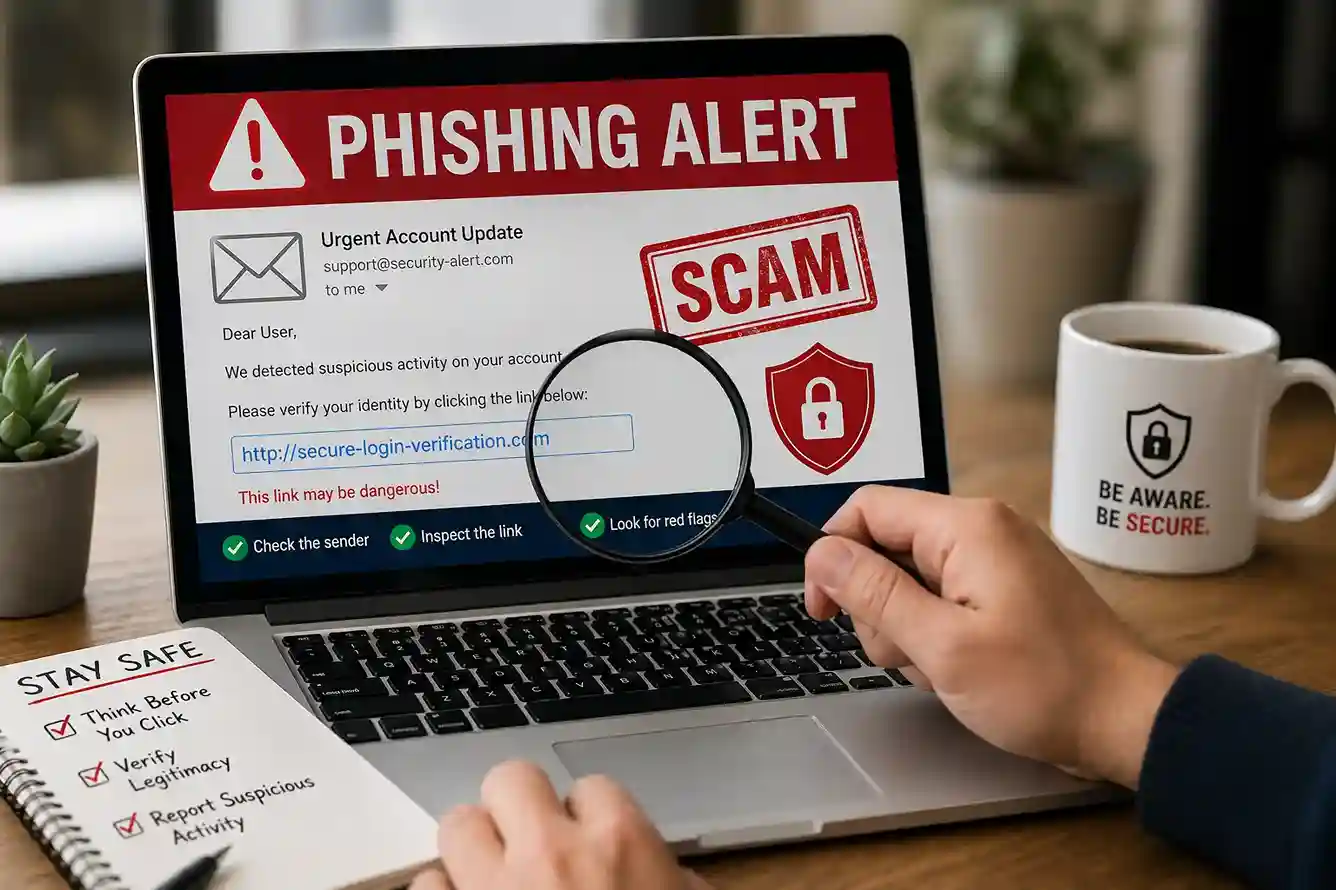
Scammers can copy a name or logo, but the actual email address usually tells the real story. A message that looks like it came from a company may still come from a strange or misspelled domain. If the address looks unusual, do not trust the message just because the logo looks familiar.
2. Read the message for urgency and pressure
Phishing messages often say you must act immediately. They may threaten to close your account, freeze a payment, or block access unless you click right away. Real companies can send warnings, but a panic-style demand is a classic scam signal.
3. Hover over links before clicking
On a computer, hovering over a link can reveal the real web address underneath the text. If the visible words say one thing but the link points somewhere strange, do not click it. Google advises checking the web address carefully and going directly to the website if something feels off.
Helpful source: Google account security guidance
4. Watch for spelling, grammar, and design mistakes
Many phishing emails still have odd wording, broken formatting, or slightly off branding. A polished look does not prove the message is real, but obvious mistakes should raise your caution immediately.
5. Never enter your password after clicking a message link
This is one of the most important habits to learn. If you click a link and the page asks you to sign in again, stop and open the site yourself through the official app or browser bookmark instead of using the message path.
6. Be cautious with attachments
A file attached to a phishing email may try to trick you into downloading malware or opening a fake login form. If you were not expecting the attachment, verify with the sender through a separate trusted method before opening it.
7. Check whether the request makes sense
Ask yourself whether the company normally asks for this information by email. Would your bank ask you to update a password through a random link? Would a recruiter demand a login before even confirming an interview? If the request feels unusual, it probably deserves extra scrutiny.
How to spot scam links before you tap or click
Scam links are designed to look safe at first glance. They may appear inside an email, a text message, a QR code, a chat app, or a social post. The first rule is simple: do not trust the appearance of the link. Trust only the destination after you inspect it.
If the link claims to be from a service you already use, do not open it from the message. Instead, go directly to the official site or app. That habit is especially important for accounts tied to money, identity, or work. It is also one reason our guide on How to Keep Your Personal Data Safe Online in 2026: A Beginner-Friendly Guide fits naturally beside this article.
On mobile devices, the same principle applies. Long-press the link if your phone supports previewing the destination, or use your browser carefully to inspect the domain. If the web address includes extra words, a strange subdomain, or a typo that looks like the real brand, treat it as suspicious.
Real-world examples readers see in 2026
Example 1: You get an email that says your shipping fee is unpaid and your package will be returned unless you click a link. The message includes a logo that looks familiar and a countdown timer. That countdown is there to pressure you. A real shipment update should still be verifiable through the retailer’s official app or order history.
Example 2: You receive a fake password reset alert for a cloud service. The message says someone logged in from another country and asks you to verify immediately. Instead of clicking, open the service manually and check security activity. Google recommends reviewing account activity and securing a hacked account through official account tools rather than message links. Secure a hacked or compromised Google Account.
Example 3: A recruiter message says you must sign in to a job portal to confirm an interview time. The link leads to a page that resembles the real portal but uses a slightly different domain. That type of scam often blends job hunting with account theft, which is why the article on How to Create a Strong LinkedIn Profile for Students and Freshers in 2026 is a useful internal companion for readers who also want to stay safe while job searching.
What to do when you suspect phishing
If you think a message is phishing, do not reply, do not click, and do not forward it to people who might accidentally click the same link. If the message is in email, mark it as spam or phishing using your mail provider’s tools. Google says reporting suspicious messages helps stop future scammers.
CISA recommends reporting phishing and deleting the message after checking it out. The FTC also advises consumers to report phishing attempts and delete the message once they have taken the right steps. FTC advice on reporting phishing, CISA phishing reporting guidance.
If you already clicked, change the password for the affected account immediately, especially if the site could have captured your login details. Then review sign-in activity, enable or confirm two-factor authentication, and check whether the same password is reused anywhere else. That is why our article on How to Set Up Two-Factor Authentication in 2026: The Ultimate Beginner’s Guide to Secure Your Accounts matters so much after any phishing scare.
How to reduce future risk
The best protection is a mix of habits and settings. Use unique passwords, keep two-factor authentication on, and save recovery codes safely. Be skeptical of messages that ask for sensitive information, especially if the message wants you to log in, reset, verify, or pay through a link.
On your phone, keep software updated and review permissions for messaging apps, browsers, and email clients. On your computer, keep browser extensions limited to tools you trust. You can also strengthen your overall security habits by reading How to Protect your Phone From Scam Calls, Fake OTPs, and Online Fraud in 2026 and How to Stay Safe on Public Wi-Fi in 2026: A Simple Cybersecurity Guide because phishing often combines with mobile fraud and unsafe networks.
It also helps to build a verification habit across the rest of your browsing life. The same pause-and-check mindset that protects you from phishing is the same mindset behind our article on How We Verify News Before Publishing: Fact-Checking Process for Readers.
How this fits the latestnewss.com content cluster
This article sits naturally inside the site’s existing practical safety and technology cluster. Readers who land here may also benefit from How to Keep Your Personal Data Safe Online in 2026: A Beginner-Friendly Guide, because phishing is one of the fastest ways personal data gets exposed. The same readers may also move to How to Set Up Two-Factor Authentication in 2026: The Ultimate Beginner’s Guide to Secure Your Accounts to add an extra layer of protection after they learn how scams work.
If someone is reading this because a fake message claimed to be from a bank, delivery service, or job platform, related guides about money, jobs, and account safety help the site feel useful rather than repetitive. That is good for readers, and it is good for a news site trying to build trust.
Frequently asked questions
What is the easiest way to spot a phishing email?
Check the sender address, read the message for urgency, and avoid clicking links. If the email asks for private information or directs you to log in through a link, treat it with suspicion.
Are scam links always obvious?
No. Many scam links look normal at first glance. That is why it is safer to inspect the web address carefully and visit important websites directly through the browser or app.
What should I do if I clicked a phishing link?
Change the affected password right away, review your account activity, and enable two-factor authentication if it is not already on. If money or identity details were involved, contact the service provider immediately.
Should I report phishing emails?
Yes. Reporting helps mail providers and agencies reduce future scams. Google, CISA, and the FTC all encourage reporting suspicious messages through the proper channels.
Can phishing happen on my phone too?
Yes. Phishing can arrive by text message, social media, QR code, or direct message. The same rule applies everywhere: pause, inspect, and verify before you click.
Why is phishing so dangerous?
Because it can lead to account theft, identity theft, money loss, malware infection, and long-term exposure of personal information.
Conclusion
Learning how to spot phishing emails and scam links in 2026 is mostly about slowing down long enough to verify what you are seeing. Do not trust urgency, do not trust a familiar-looking logo by itself, and do not trust a link until you know exactly where it goes. The more consistently you use these habits, the easier it becomes to recognize scams before they reach your account or your money. On latestnewss.com, this topic strengthens the site’s practical cybersecurity section and connects cleanly with other evergreen safety guides that help readers stay protected online.

Shiva S writes about AI, cybersecurity, online safety, Google Discover, and digital trends. His focus is creating practical, easy-to-understand guides that help readers stay informed and safer online.