Finding a job in 2026 often starts online, which means the first contact may come from a website, a recruiter profile, or a direct message instead of an in-person conversation. That convenience is useful, but it also creates space for fake companies, cloned career pages, and recruiter scams. If you are applying quickly, it is easy to trust a logo, a polished message, or a salary that sounds exciting.
That is exactly why it is smart to verify a company before applying for a job. The FTC warns that fake job offers are active in 2026, and CISA advises people to verify suspicious requests through trusted channels. FTC phishing and job scam guidance, CISA recognize and report phishing.
This guide shows you how to check a company step by step before you submit your resume, share your phone number, or complete an application form. It is written for beginners, but it is detailed enough to help you avoid the most common traps.
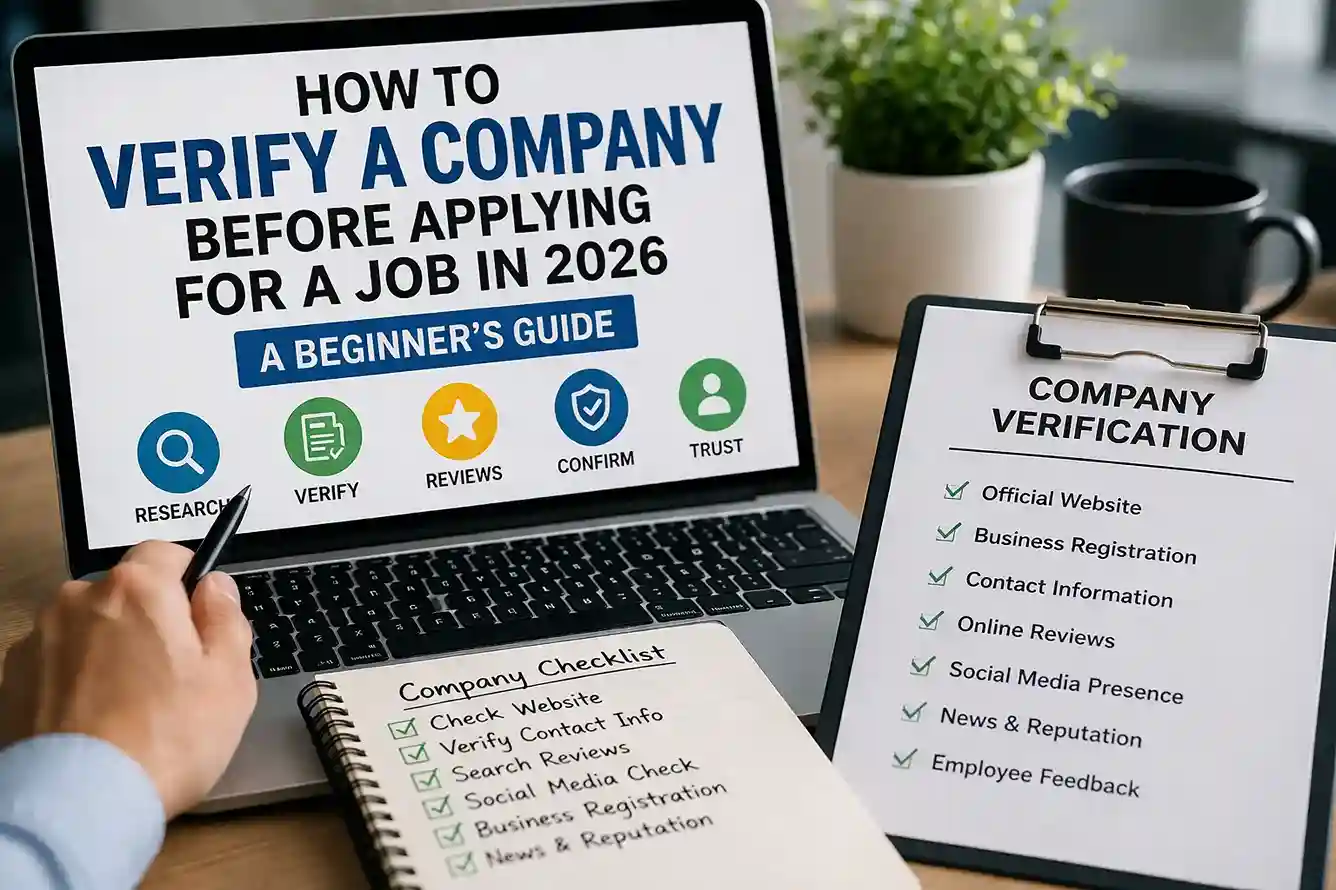
Quick answer: Search the company independently, compare the official site with the message you received, check the domain and contact details, look for real employee activity, and never pay money or share sensitive information early.
Why verify a company before applying for a job matters
A fake company can waste your time. A fake recruiter can steal your information. In the worst cases, scammers use job ads to collect identity documents, bank details, verification codes, or even upfront fees for training and equipment. That is why company verification is not just a nice extra step; it is part of safe job searching.
A real employer should be traceable across more than one source. You should be able to find the company’s website, a matching contact address, a business profile, and signs of real activity over time. If the only proof is a message in your inbox, that is not enough.
This is also why the site’s other career and safety articles fit together so well. If you are learning to protect yourself online, articles like How to Spot Job Scams and Fake Recruiter Messages in 2026 and How to Spot Phishing Emails and Scam Links in 2026 help you build the same habit: verify first, act later.
A beginner-friendly checklist to verify a company
1. Search the company independently
Do not rely only on the link or name inside the recruiter message. Search the company yourself through a search engine and the company’s official site. Look for a careers page, an about page, a contact page, and signs that the company is active. A legitimate business should have more than a one-message presence.
Helpful source: Google Search help
2. Check the website domain carefully
A real company usually uses a professional domain that matches its brand. Watch for strange spellings, extra words, odd endings, or domains that look almost correct but not quite right. Scam sites often copy design elements but fail on the URL.
3. Compare the recruiter’s email with the official company domain
A recruiter using a free email address for a serious company role is not automatically fake, but it deserves caution. Compare the email with the official contact details on the company website.
4. Look for real employee activity
Check whether the company has a meaningful presence on LinkedIn, Glassdoor, news coverage, or public business profiles. Real companies usually have some visible footprint over time.
5. Read reviews with caution
Reviews can help, but they can also be manipulated. Read several sources and look for patterns rather than one dramatic complaint or one overly positive post.
6. Study the job description for warning signs
A legitimate job post should explain responsibilities, required skills, location or remote policy, and a reasonable salary range. If the posting is vague, exaggerated, or copied from somewhere else, be careful.
7. Check the application process
A normal hiring process has some structure. It may include an application, screening, interview, and follow-up. If a company wants to hire you immediately without any meaningful review, that is unusual.
8. Watch for requests for money or sensitive data
You should never pay to apply or to receive a job offer. You should also be careful if a recruiter asks for bank details, OTPs, passport scans, or tax documents too early.
Real-world examples
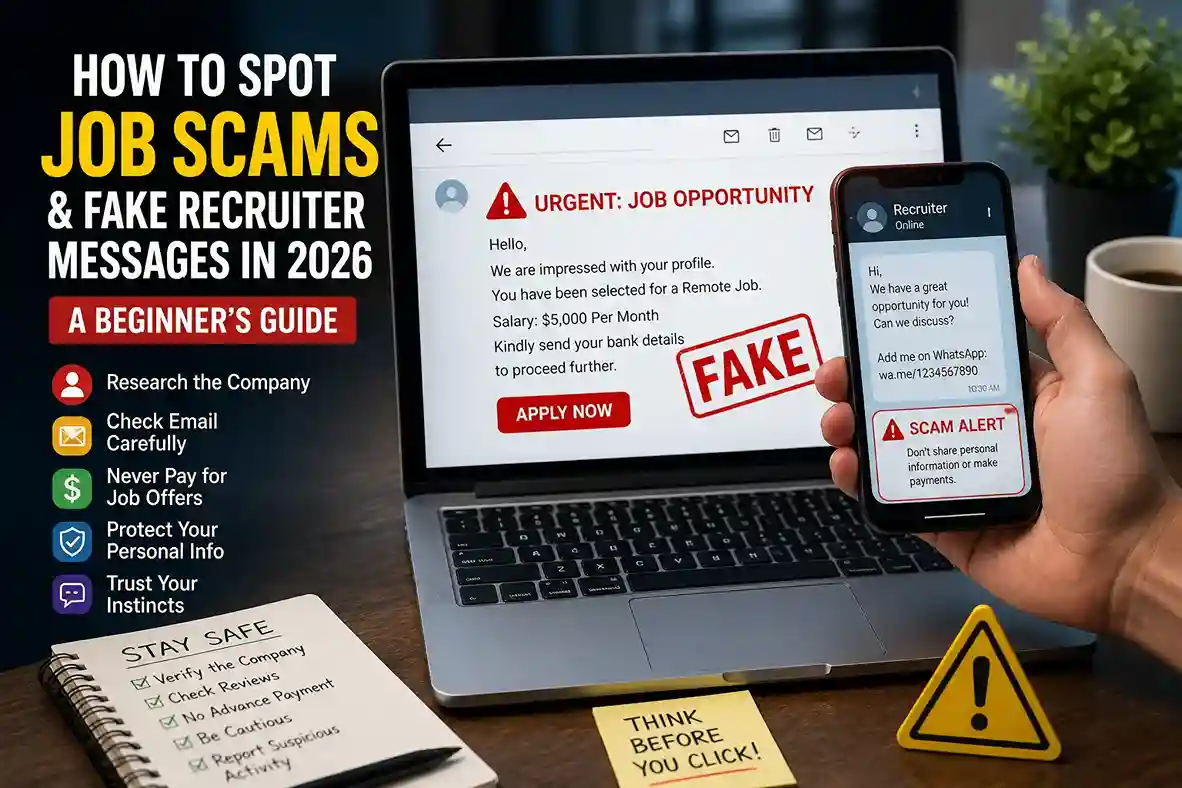
Example 1: You receive a message saying a global company wants to hire you for a remote support role with excellent pay. The recruiter uses a free email account and the link goes to a website with a misspelled company name. In that case, the mismatch between the brand and the domain is a strong warning sign.
Example 2: A company appears real, but the job description asks for a small payment to confirm training materials or equipment shipment. That is not normal hiring behavior. A legitimate employer should not make you pay to be considered for a job.
Example 3: A recruiter asks for your identity documents in the first message before you have even spoken to the hiring team. That is too early for most jobs. You should verify the company through official contact details first and only proceed through a trusted hiring channel.
These examples connect closely with the safety mindset used in other latestnewss.com guides, such as How to Keep Your Personal Data Safe Online in 2026 and How to Set Up Two-Factor Authentication in 2026.
How to verify step by step
Start with the official website. Open the site directly and see whether the branding, contact details, leadership names, and careers page look consistent.
Next, verify the company on a second source. That can be LinkedIn, a business registry, a news article, or a trusted professional directory. Look for consistent company names, addresses, and employee profiles.
If the recruiter claims to represent a specific team, look for that person on LinkedIn and compare the profile to the company’s official page.
You can also compare the hiring message with the company’s public careers page. If the job title, location, or salary range does not resemble the current openings, ask why.
If you are applying for a job while building your broader career presence, the site’s education and jobs section can help. How to Create a Strong LinkedIn Profile for Students and Freshers in 2026 is useful for making your profile credible, while How to Write a Resume That Gets Interviews and How to Write a Winning Cover Letter in 2026 help you present yourself well after the company has been verified.
What you should never do
Do not send money to secure an interview or start work. Do not share passwords, OTPs, or login codes. Do not download random files or install unverified apps from a recruiter message. Do not ignore a weird domain just because the branding looks correct.
Do not assume a role is real because it mentions a well-known brand. Scammers often borrow logos and job titles from legitimate businesses. Verification must be based on contact details, website consistency, and hiring behavior, not just on appearance.
Do not rush because the offer sounds exciting. Scammers often use urgency as a shortcut around careful thinking. The more urgent the message feels, the more important it is to slow down and verify.
What to do if something feels wrong
Pause immediately. Save screenshots, copy the message, and avoid clicking any more links. Then verify the company through its official website or a trusted business contact method that you found yourself, not through the message.
If the message came by email, report it as spam or phishing. Google recommends using account safety tools and review options to strengthen your sign-in security, and the FTC recommends reporting suspicious activity through the proper channels. Google account security guidance, FTC phishing guidance.
If you have already shared sensitive data, contact the service or bank involved right away. Also review any accounts that use the same password and turn on two-factor authentication if it is not already enabled.
How this fits the latestnewss.com content cluster
This article belongs naturally beside the site’s other practical safety and career guides. Readers who care about job-search safety may also benefit from How to Spot Job Scams and Fake Recruiter Messages in 2026 and How to Spot Phishing Emails and Scam Links in 2026 because the threat often starts with an email, a message, or a fake landing page.
For broader digital safety, it also pairs well with How to Protect your Phone From Scam Calls, Fake OTPs, and Online Fraud in 2026, since mobile fraud and fake hiring messages often use similar pressure tactics.
If a reader is trying to improve their money habits after landing a role, How to Manage Your Salary Better in 2026 and How to Create a Monthly Budget That Actually Works in 2026 extend the same practical, beginner-friendly style into personal finance.
Why this article works for AdSense and Google Discover
This article is a strong AdSense fit because it is original, useful, evergreen, and clearly written for readers. It is not thin content or a copy of job-board text. It teaches a practical verification habit that can protect people from scams and wasted time. Google’s Search Essentials recommend helpful, reliable, people-first content. Google Search Essentials.
For Google Discover, the title is clear, the topic is timely, and the article is easy to scan on mobile. The format uses short paragraphs, real examples, and FAQ content so readers can get the answer quickly.
Frequently asked questions
How can I tell if a company is real before I apply?
Search the company independently, open the official website, compare contact details, and check whether the business appears on more than one trusted source.
Is a recruiter message enough proof that a job is real?
No. A recruiter message is only a starting point. You should still confirm the company through official channels before sharing any personal information.
Should I trust a company with no LinkedIn presence?
Be cautious. Some small businesses may have limited online presence, but a complete lack of verifiable details is a reason to investigate further.
What is the biggest red flag in job applications?
Requests for money, OTPs, passwords, or sensitive documents too early are major warning signs. Fast hiring and unrealistic pay are also common scam signals.
What if the company looks real but the message feels off?
Trust the mismatch. A real company can still be impersonated. Verify the sender, domain, and careers page before you continue.
Do I need to verify every application?
Yes, especially if the job came through an email, text, social app, or direct message. A quick verification check can save time and protect your data.
Conclusion
Learning how to verify a company before applying for a job in 2026 is one of the smartest habits a job seeker can build. It helps you avoid scams, protect personal data, and spend your energy on real opportunities instead of fake ones. A few simple checks — independent search, domain review, contact verification, and a careful look at the hiring process — can make a huge difference.

Shiva S writes about AI, cybersecurity, online safety, Google Discover, and digital trends. His focus is creating practical, easy-to-understand guides that help readers stay informed and safer online.