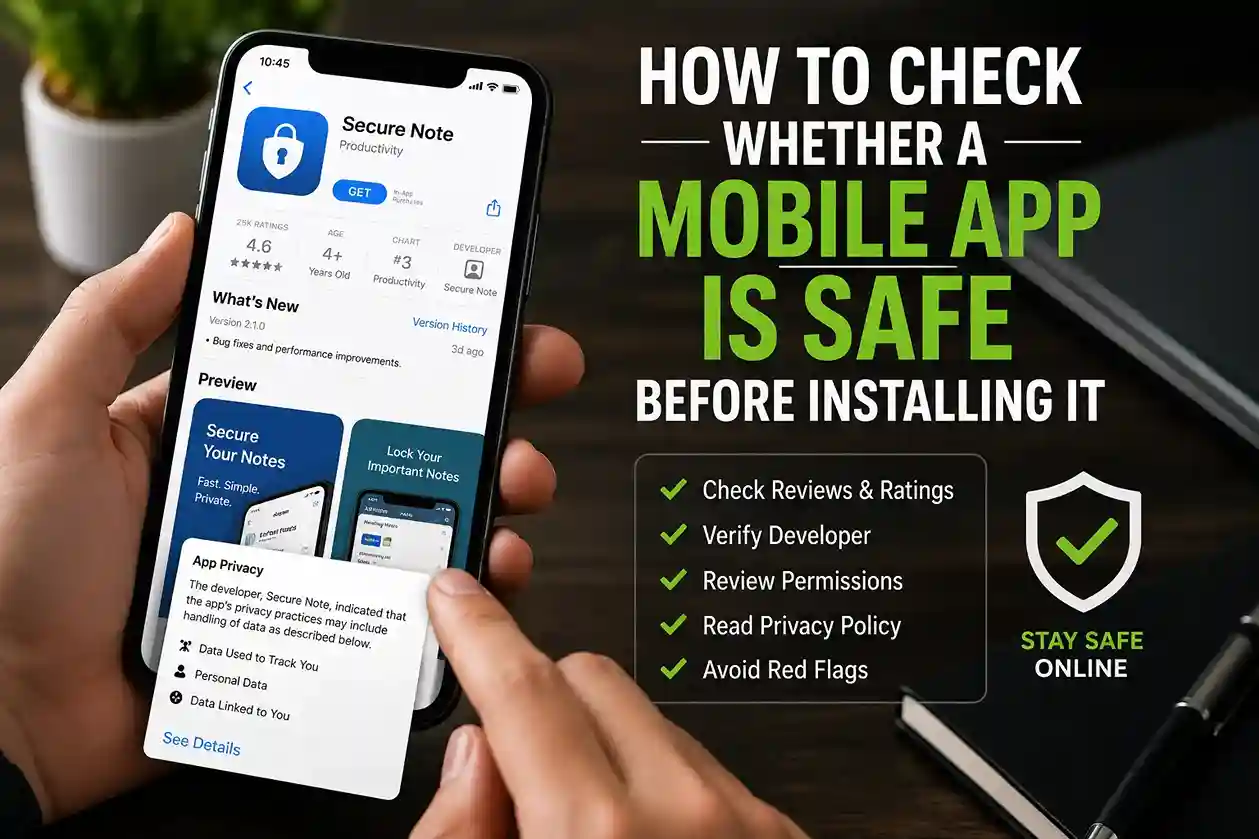
How to Check Whether a Mobile App Is Safe Before Installing It is becoming an essential digital skill. Most people install apps without much thought, especially when they are recommended by friends, trending on social media, or appear at the top of an app store search. However, not every app deserves your trust.
Some apps collect excessive personal information, display misleading advertisements, or even contain malware. According to the CISA mobile device security guidance, mobile devices often store sensitive data such as passwords, banking information, personal messages, and location history, making app security more important than ever.
If you’re already working on improving your digital safety through articles like How to Protect Your Phone from Malware and Fake Apps in 2026 and How to Strengthen Your Digital Privacy Habits in 2026, learning how to evaluate mobile apps before installation is a logical next step.
How to Check Whether a Mobile App Is Safe Before Installing It
Most unsafe apps reveal warning signs before you ever tap the Install button. The challenge is knowing what to look for.
A few minutes of investigation can help prevent identity theft, financial fraud, privacy violations, and malware infections.
Let’s walk through the most practical checks.
Start With the Official App Store
One of the easiest ways to reduce risk is downloading apps only from official sources.
For Android users, that usually means Google Play. For iPhone users, it means Apple’s App Store.
While official stores are not perfect, both companies actively review applications and remove malicious software when discovered. Google’s own Google Play safety guidance explains that multiple security layers are used to help identify harmful apps.
In real-world situations, many malware infections begin when users download modified apps, cracked software, or APK files from unofficial websites.
If an app requires downloading from an unknown source, that should immediately raise questions.
Research the Developer
Many people check app ratings but ignore the company or individual who created the application.
That is often a mistake.
Before installing any app:
- Review the developer name
- Visit the developer website
- Check whether the company has other apps
- Look for contact information
- Search for independent reviews
For example, a banking app developed by a recognized financial institution is generally more trustworthy than a newly created app from an unknown developer with no public presence.
The FTC’s consumer privacy resources emphasize understanding who collects your information and how it will be used according to its consumer privacy guidance.
This same principle applies to mobile applications.
Read Reviews Carefully
Reviews can reveal issues that app descriptions never mention.
However, simply looking at the overall rating is not enough.
Instead:
- Read recent reviews
- Look for repeated complaints
- Watch for reports of crashes
- Check for privacy concerns
- Identify billing or subscription complaints
A 4.8-star rating may look impressive until you discover hundreds of recent reviews warning about unauthorized charges or aggressive data collection.
In real-world situations, patterns matter more than individual complaints.
A single negative review means very little.
Dozens of similar complaints deserve attention.
If you already follow advice from How to Spot Online Scams Before It Is Too Late in 2026, you’ll recognize that user experiences often reveal risks before official warnings appear.
Review the Permissions Carefully
One of the most important steps is checking what the app wants to access.
Ask yourself:
Does the requested permission make sense?
Examples:
Reasonable Requests
- Navigation app requesting location access
- Camera app requesting camera access
- Messaging app requesting contacts access
Suspicious Requests
- Flashlight app requesting contacts access
- Calculator requesting microphone access
- Wallpaper app requesting call logs
- Photo editor requesting continuous location tracking
The National Institute of Standards and Technology (NIST) recommends carefully evaluating application permissions and limiting access whenever possible in its mobile security recommendations.
Permissions should match the app’s actual purpose.
If they do not, that is a warning sign.
Examine the Privacy Policy
Most users never read privacy policies.
While reading every line is unrealistic, reviewing key sections can reveal a lot.
Look for information about:
- Data collection
- Data sharing
- Advertising partners
- Third-party tracking
- Data retention
Google’s Safety Center privacy resources encourage users to understand how companies collect and use personal information.
An app that clearly explains its practices is generally easier to trust than one providing vague or confusing disclosures.
If privacy matters to you, How to Delete Your Personal Information From the Internet in 2026 offers additional ways to reduce unnecessary exposure.
Check the Number of Downloads
Download counts should never be the only factor, but they can provide useful context.
For example:
- 50 downloads
- No reviews
- Unknown developer
- Extensive permissions
That combination deserves caution.
By contrast:
- Millions of downloads
- Verified developer
- Consistent review history
- Transparent privacy disclosures
Generally provides more confidence.
That does not guarantee safety, but it helps establish credibility.
In real-world situations, scam apps often appear suddenly, attract users quickly, then disappear after collecting data or payments.
Watch for Red Flags in the App Description
App listings can reveal warning signs before installation.
Be cautious if you notice:
- Excessive promises
- Poor grammar
- Generic screenshots
- Fake-looking testimonials
- Unrealistic claims
For example:
- “Earn $5,000 per day instantly”
- “Hack any social media account”
- “Unlimited free premium subscriptions”
These claims are often associated with scams or deceptive software.
The FBI regularly warns consumers about fraudulent online schemes and malicious software through its cybercrime awareness resources.
If an app sounds too good to be true, it often is.
Search for Independent Coverage
Before installing lesser-known apps, search beyond the app store.
Look for:
- Technology reviews
- Security research
- Community discussions
- Professional recommendations
A quick web search can uncover privacy controversies, security incidents, or misleading business practices.
This approach works particularly well when evaluating productivity apps, financial tools, VPNs, password managers, and AI applications.
For broader digital protection, How to Create a Personal Cybersecurity Checklist in 2026 provides a practical framework for evaluating online risks.
Understand Subscription Traps
Many legitimate apps use subscriptions.
The problem occurs when pricing is hidden or intentionally confusing.
Before installing:
- Check subscription costs
- Understand trial periods
- Review cancellation policies
- Read billing-related reviews
One of the most common complaints found in app store reviews involves users forgetting trial periods and being charged unexpectedly.
A trustworthy app should clearly explain pricing before requesting payment information.
Keep Your Device Updated
Even safe apps can become risky if your phone’s operating system is outdated.
Security updates often fix vulnerabilities that malicious software may attempt to exploit.
CISA recommends keeping mobile operating systems updated as part of its mobile security best practices.
This is especially important for:
- Banking apps
- Payment apps
- Password managers
- Email applications
If you’re already following How to Protect Your Email Account From Hackers in 2026, keeping your device updated should be part of the same security routine.
Common Mistakes People Make
Many users unintentionally increase risk through habits that seem harmless.
Common mistakes include:
Installing Apps Without Research
Convenience often wins over caution.
Unfortunately, that is exactly what scammers rely on.
Ignoring Permissions
Users frequently approve every permission request without reviewing whether it makes sense.
Trusting Ratings Alone
High ratings do not automatically mean an app is safe.
Downloading APK Files From Unknown Sources
This remains one of the most common ways malware reaches Android devices.
Forgetting to Remove Unused Apps
Old apps can continue collecting data long after they stop being useful.
Best Practices for Safer App Installations
A simple routine can dramatically improve safety.
Before installing any app:
- Verify the developer.
- Read recent reviews.
- Review permissions.
- Check privacy disclosures.
- Confirm download numbers.
- Search for independent coverage.
- Keep your device updated.
- Remove apps you no longer use.
These habits require only a few minutes but can prevent major problems later.
Much like How to Create Strong Passwords People Actually Remember in 2026 or How to Protect Your Phone from Malware and Fake Apps in 2026, consistency matters more than perfection.
FAQ
Can apps from official app stores still be dangerous?
Yes. Although Google Play and Apple’s App Store review applications, some harmful apps occasionally bypass screening processes. Official stores reduce risk but do not eliminate it.
Are free apps less safe than paid apps?
Not necessarily. Many free apps are completely legitimate. The key concern is how the developer makes money and what data is collected.
How can I tell if an app collects too much data?
Review permissions, privacy disclosures, and independent reviews. If requested access seems unrelated to the app’s purpose, investigate further.
Should I delete apps I no longer use?
Yes. Unused apps may continue storing data, requesting updates, or creating security risks.
Is downloading APK files always dangerous?
Not always, but unofficial APK sources significantly increase risk. Official app stores remain the safer choice for most users.
Conclusion
How to Check Whether a Mobile App Is Safe Before Installing It is ultimately about slowing down before tapping Install. A few minutes spent researching the developer, reading reviews, reviewing permissions, checking privacy practices, and verifying legitimacy can prevent much larger problems later.
The safest users are rarely the most technical. They are simply the ones who develop consistent habits. Combined with guidance from resources like How to Protect Your Phone from Malware and Fake Apps in 2026, How to Strengthen Your Digital Privacy Habits in 2026, and How to Create a Personal Cybersecurity Checklist in 2026, these checks can help you install apps more confidently while keeping your personal information, finances, and devices better protected.

Shiva S writes about AI, cybersecurity, online safety, Google Discover, and digital trends. His focus is creating practical, easy-to-understand guides that help readers stay informed and safer online.