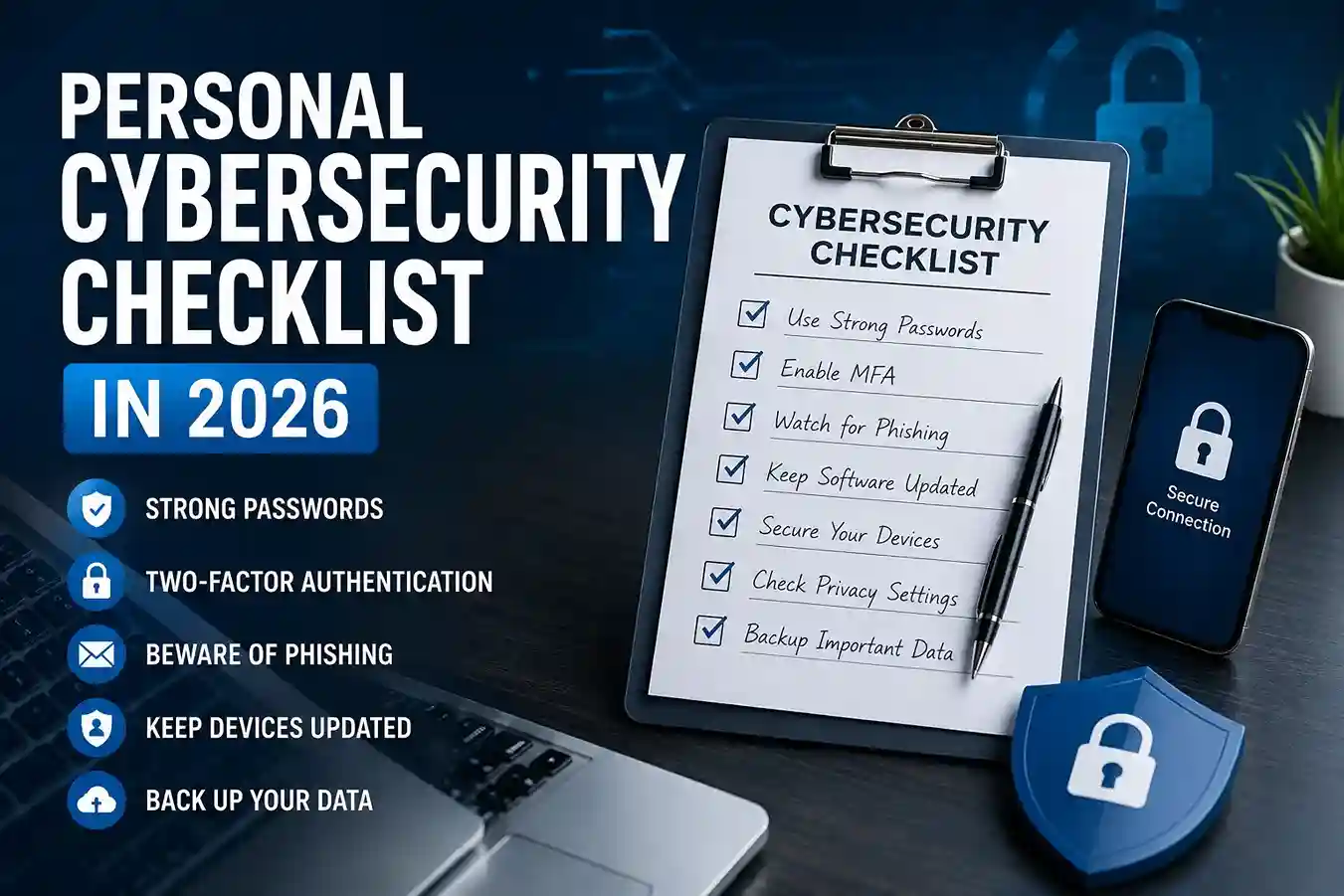
A good personal cybersecurity checklist in 2026 does not need to be complicated to be effective. In fact, the strongest security routines are usually the simplest ones: use unique passwords, turn on multifactor authentication, watch for phishing attempts, keep devices updated, and review recovery settings before you need them. The FTC advises consumers to protect their personal information with strong account practices, CISA explains that multifactor authentication adds a second verification step that makes unauthorized access harder, and Google says passkeys are more secure against phishing because they cannot be shared or copied like passwords.
Why a personal cybersecurity checklist matters
Most people do not get hacked because they ignored one dramatic warning sign. They get caught by a chain of small misses: a reused password, a rushed click, an outdated phone, or a forgotten recovery email. In real-world situations, that chain can begin with something as ordinary as checking a bank alert while tired, logging in on public Wi-Fi, or opening a message that looks like it came from a service you use every day.
A checklist helps because it turns vague concern into repeatable action. Instead of wondering, “Am I secure enough?” you can look at specific items and confirm them one by one. That approach is especially useful if you manage work accounts, family accounts, shopping logins, or cloud storage tied to photos and documents.
It also reduces decision fatigue. Security advice often sounds technical, but the everyday version is much more human: do I know where my backup codes are, can I recognize a phishing link, and would I notice if my recovery email had been changed? If those questions are hard to answer, your checklist is already doing its job.
How to create a personal cybersecurity checklist in 2026
The best checklist is short enough to use and strong enough to matter. A useful structure is to divide it into five areas: passwords, authentication, devices, email, and recovery. That keeps the process practical without turning it into a giant spreadsheet you never open again.
A first pass might include:
- One unique password for every important account
- A password manager with a strong master password
- Multifactor authentication on email, banking, and social accounts
- A recovery email and phone number you still control
- Regular software updates on phone, laptop, and browser
- A habit of verifying links before signing in
- A backup method for important files and photos
That list may look simple, but simple is the point. The FTC recommends using strong account protections, and CISA’s MFA guidance explains why an extra verification step is so valuable when passwords are exposed or guessed. NIST also notes that multifactor authentication requires more than just a username and password, which is why it remains one of the most important protections in a personal security routine.
If you already have a few of these habits in place, then the next step is to formalize them. A guide like Cybersecurity in 2026: How to Protect Your Personal Data (Simple Guide with Real Examples) can help you think beyond account protection and look at the wider picture of identity safety, device security, and data exposure.
Passwords are still the foundation
Passwords are not exciting, but they remain the front door to most accounts. That is why they deserve a place at the top of your checklist. A strong personal cybersecurity checklist should confirm three things: every important account has a unique password, those passwords are stored safely, and compromised passwords are replaced quickly.
A password manager helps here because it removes the pressure to remember everything yourself. Instead of repeating one easy password across multiple sites, you create strong unique passwords and let the manager store them. Your password manager guide, How to Use a Password Manager in 2026: A Simple Beginner’s Guide, fits naturally into this part of the checklist because password reuse is still one of the most common security mistakes people make.
For example, if your shopping account and email account share the same password and one store gets breached, the attacker may try that same login on your email first. That is why a checklist should include a simple question: “Have I reused this password anywhere important?” If the answer is yes, change it.
The FTC’s consumer guidance also emphasizes protecting personal information from hackers and scammers, which is one reason strong password habits are still a basic security step rather than an advanced one.
Turn on multifactor authentication everywhere it matters
If passwords are the lock, multifactor authentication is the extra step that makes the door harder to open. CISA says MFA requires a second method of verifying identity and makes you much more secure, while NIST defines it as requiring more than one distinct authentication factor. That means even if someone learns your password, they still need another proof that they are really you.
A practical checklist should prioritize:
- email accounts
- banking and payment apps
- cloud storage
- social media
- shopping accounts with saved payment cards
In real-world situations, email is often the most important one. If someone gets access to email, they may be able to reset other passwords, approve account recovery requests, or impersonate you. That is why your security checklist should include a note to review the account’s recovery options after enabling MFA.
If you are updating your security habits across multiple family accounts, How to Create a Family Online Safety Plan in 2026 is a strong companion article. Family security tends to fail at the weak link, not the strongest one.
Add passkeys where your accounts support them
Passkeys are one of the most useful newer additions to a personal cybersecurity checklist in 2026. Google says passkeys can be used as a simple and secure alternative to passwords, and unlike passwords they cannot be shared, copied, written down, or accidentally given to someone else. Google also says this makes them more secure against phishing.
That matters because phishing is often successful precisely because it steals something reusable. A passkey is tied to the device and the site, which makes fake login pages much less effective. You still need to know where you are signing in, but the risk is reduced if a scam page tries to capture a credential that no longer behaves like a credential.
A practical checklist item here is simple: “Have I enabled passkeys on any account that supports them?” If the answer is no, start with your email or your most sensitive account first. Google also documents that passwords and passkeys can be managed across devices in Google Password Manager, which makes adoption easier for people who use more than one phone, browser, or laptop.
Watch your email like it is a control center
Your email account is not just another inbox. It is usually the recovery channel for everything else. That means a personal cybersecurity checklist should include email-specific checks: confirm recovery details, review signed-in devices, watch for forwarding rules, and make sure suspicious messages are handled cautiously.
The FBI warns that spoofing and phishing are designed to trick people into giving away sensitive information such as passwords or banking details, and it notes that fake websites can look nearly identical to the real thing. That is why email safety is not just about spam filters; it is about your behavior after the message lands.
A useful habit is to avoid signing in from a message link when you are tired or rushed. Instead, open the service directly through a bookmark or official app. That small change helps because scammers often depend on urgency. If you already work through How to Recognize Emotional Manipulation in Online Scams, you already know that fear, pressure, and urgency are used to push people into acting before they think.
Keep devices and browsers updated
Even a strong account can be weakened by an unpatched device. A cybersecurity checklist should include a reminder to update phones, tablets, laptops, browsers, and apps regularly. Those updates often close security gaps that criminals look for, especially on devices people use every day without thinking about the risk.
This is one of the easiest checklist items to forget because it feels passive. You are not “doing” anything with it except allowing the device to stay current. But in practice, that is exactly what makes it effective. In real-world situations, an outdated browser can expose you to known malicious pages, and an outdated phone can make security alerts easier to ignore.
It is also smart to combine updates with safer browsing habits. For example, if you are checking a site before entering personal details, use the same caution you would apply to a banking login. Your article How to Check If a Website Is Safe Before Entering Personal Details in 2026 fits naturally here because device safety and website safety usually work together.
Review recovery settings before you need them
Recovery settings are one of the most overlooked parts of personal cybersecurity. People often secure an account, then forget the email address or phone number that could help them regain access later. That becomes a problem when the account is locked, a code is sent somewhere old, or the person no longer has the device used for verification.
Your checklist should include:
- a current recovery email
- a current recovery phone number
- backup codes stored safely
- a note of which accounts use each recovery method
- a check of whether old devices are still trusted
This is especially important for email and financial accounts. Google’s account security guidance recommends doing a security checkup and updating recovery options so you can regain access if something goes wrong. That kind of review is boring when nothing is happening, but essential when something does.
Common mistakes to avoid
Most people make cybersecurity harder than it needs to be. The biggest mistake is assuming one good habit is enough. A strong password does not fix a fake login page. Multifactor authentication does not help if the recovery email is old and inaccessible. A passkey does not matter if your device itself is exposed.
The other common mistake is treating security as a one-time project. In reality, it is maintenance. You do not need to obsess over it, but you do need to check it regularly. In practical terms, that means reviewing your checklist after device changes, travel, phone upgrades, account recovery issues, or suspicious messages.
Another mistake is ignoring the emotional side of scams. Scammers often target people when they are busy, distracted, embarrassed, or afraid. That is why a checklist works best when it includes a reminder to pause before reacting. If a message creates panic, that is a signal to slow down, not speed up.
A simple monthly cybersecurity routine
Once your checklist exists, keep it alive with a monthly routine. A monthly check takes only a few minutes if your basics are already in place.
Use this rhythm:
- Confirm your password manager still works
- Review accounts with MFA turned off
- Check for security alerts in email and banking apps
- Make sure recovery information is current
- Update any device that is waiting on a patch
- Remove old logins or trusted devices you no longer use
This is where cybersecurity becomes realistic. People rarely stay safe because they remember one perfect rule. They stay safer because they repeat a few small ones consistently.
If your site visitors are building a stronger digital safety habit overall, they will likely also benefit from How to Protect Your Personal Data Online in 2026 and How to Check If a Website Is Safe Before Entering Personal Details in 2026. Those articles extend the same mindset from accounts into broader online behavior.
FAQ
What should a personal cybersecurity checklist include in 2026?
At minimum: unique passwords, a password manager, multifactor authentication, passkeys where available, updated recovery details, device updates, and safe phishing habits.
What is the most important item on the checklist?
For most people, email security is the most important because email is often used to reset other accounts.
Are passkeys better than passwords?
Google says passkeys are more secure against phishing because they cannot be shared or copied the way passwords can. They are best used alongside good account recovery and device security habits.
How often should I review my checklist?
Monthly is a good baseline, and you should also review it after a new phone, a password reset, a suspicious login alert, or a major account change.
Do I still need a password manager if I use MFA?
Yes. MFA helps protect logins, but unique passwords still matter because they reduce the damage if one account is exposed.
Conclusion
A practical personal cybersecurity checklist in 2026 is not about perfection. It is about making the most important habits repeatable: unique passwords, multifactor authentication, passkeys, updated recovery details, safer email habits, and regular device updates. The FTC, CISA, FBI, Google, and NIST all point toward the same approach: use layered protections, verify before you trust, and do not rely on memory alone.

Shiva S writes about AI, cybersecurity, online safety, Google Discover, and digital trends. His focus is creating practical, easy-to-understand guides that help readers stay informed and safer online.