Track AI search traffic has become one of the most important things a website owner can do in 2026. Search behavior is changing quickly, and the old way of measuring SEO performance is no longer enough on its own. Search engines are not only showing blue links anymore they are powered by advanced AI language models. They are also using artificial intelligence to summarize content, answer questions directly, and reduce the number of clicks a user needs to make.
This shift is closely connected to how AI search results are changing. Instead of sending users to several pages, search engines now try to deliver the answer immediately. That is one of the biggest reasons AI zero-click searches are increasing. A searcher may get what they need without ever opening a website, which means traffic can fall even when impressions stay strong.
If you publish content in 2026, you need to know whether your pages are being affected by AI-driven search behavior. Google Search Console is still one of the best tools for understanding that pattern, even though it does not give you a direct “AI traffic” label. With the right approach, you can still measure the impact, notice traffic changes early, and improve your content strategy.
In this guide, you’ll learn how to track AI search traffic in Google Search Console, what signals to look for, how to read the data correctly, and what to do if your content is being used in AI answers but not earning clicks.
What Is AI Search Traffic?
AI search traffic is traffic influenced by AI-generated search experiences. That includes AI summaries, answer boxes, overviews, and conversational search responses that appear before or instead of traditional organic results.
It is important to understand that this does not always mean a visitor clicked a special “AI traffic” link. In many cases, AI search traffic is inferred from patterns. For example, if your impressions rise but clicks fall, your content may be visible in search or used in AI-generated summaries without generating the same level of traffic it once did. AI search traffic refers to visitors coming from AI-driven search experiences powered by machine learning algorithms.
This is why many SEOs now pay close attention to AI overviews SEO. When AI systems summarize content using natural language processing at the top of the page, users often stop there. They do not need to click through unless they want deeper detail, a comparison, a tool, or a trusted source.
Why Tracking AI Search Traffic Matters
Tracking this type of traffic matters for three major reasons.
1. You can understand whether traffic drops are caused by AI, not just rankings
A lot of site owners assume traffic loss means they are ranking lower. Sometimes that is true, but sometimes the rankings are fine and the user simply gets the answer directly from AI.
2. You can identify pages that still have visibility
Some pages may receive fewer clicks but more impressions. That means the page is still relevant and is being shown in search, even if users are not clicking as much as before.
3. You can improve your content strategy
If you know what kind of content AI is pulling into answers, you can create more structured, more useful content that performs better in the new search environment.
This is especially important if you already publish articles about how to rank in AI search results or why website not showing in AI answers. Those topics are directly tied to visibility changes in AI-driven search.
Can Google Search Console Show AI Search Traffic Directly?
Not exactly. Google Search Console does not currently give you a separate “AI traffic” category. It does not say, “This click came from AI Overview,” and it does not isolate every AI-driven impression in a neat dashboard.
However, it still gives you the signals you need to make a strong estimate.
The most useful signs are:
- rising impressions
- falling click-through rate
- stable or improving ranking position
- query patterns that look question-based
- pages with lots of visibility but low engagement
Those signals often show that AI is playing a bigger role in how users interact with your content.
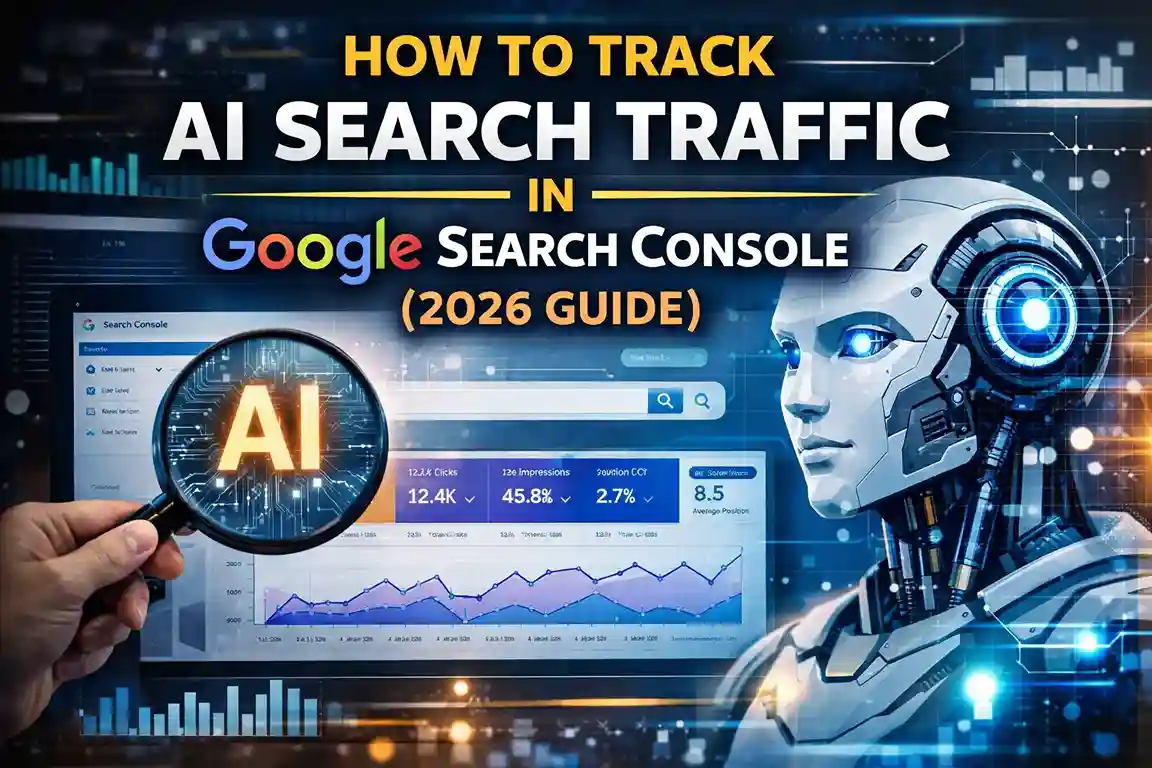
Step 1: Open the Performance Report
Start in Google Search Console and go to the Performance section.
Look at:
- total clicks
- total impressions
- average CTR
- average position
This is your baseline. If you are tracking AI impact, you need to compare one period to another. Do not look at just one day or one week. The trend matters more than a single number.
For example, if a page had 8,000 impressions and 320 clicks last month, then this month it has 10,500 impressions but only 250 clicks, something important has changed. The page may still be visible, but users may be getting answers elsewhere.
That kind of pattern is often seen on content that ranks for informational topics, especially pages related to AI search engines or broad educational questions.
Step 2: Compare Impressions and Clicks
This is one of the most important parts of tracking AI search traffic.
If impressions go up but clicks go down, it often means the search result is still visible, but users are satisfied earlier in the journey. In plain language, the page is being seen, but it is not getting the same number of visits.
That trend is very common with AI zero-click searches, where AI-generated answers reduce the need for a user to open a website at all.
If you notice this pattern, do not panic. It does not always mean your content is bad. It may simply mean your content is being used in a more answer-based search experience.
Step 3: Look at Query Types
Some kinds of queries are more likely to trigger AI summaries than others.
Search for queries that are:
- question-based
- long-tail
- informational
- simple to answer
Examples include:
- what is AI SEO
- how to write content for AI search
- why website not showing in AI answers
- how to rank in AI search results
These query types often attract AI-driven answers because the user is asking for information, not necessarily looking for a brand name or a shopping result.
If your site already publishes content around how to write content for AI search, you may notice strong impressions but weaker clicks when the answer is displayed directly in the search interface.
Step 4: Analyze Pages, Not Just Queries
You should also look at page-level performance.
Some articles may be hit harder than others. Usually, the most affected pages are:
- educational guides
- definition articles
- broad “what is” topics
- comparison content
- beginner-friendly explainers
For example, a page about AI browser assistants may attract many impressions because people are curious about the topic, but the click-through rate may drop if the search engine already answers the basic question on the results page.
That is why page-level analysis matters. It helps you see which articles still deserve stronger traffic signals and which ones are being summarized too aggressively by AI.
Step 5: Compare Time Periods
One of the easiest ways to track AI impact is to compare periods over time.
Useful comparisons include:
- last 28 days vs previous 28 days
- this quarter vs last quarter
- this year vs last year
Look for this pattern:
- impressions rising
- clicks falling
- CTR dropping
- average position remaining stable
If ranking positions are steady but traffic drops, that suggests something beyond normal SEO volatility may be happening. The content may be getting surfaced differently because of AI-based presentation.
Step 6: Use Device and Country Filters
AI search behavior may vary depending on device and region.
For example:
- mobile users may interact differently than desktop users
- some countries may receive more AI-style search experiences than others
- query intent may vary by device
You can use Search Console filters to isolate:
- mobile traffic
- desktop traffic
- specific countries
- specific page groups
This helps you understand whether the traffic shift is broad or limited to certain search contexts.
Step 7: Combine Search Console With Google Analytics
Search Console shows search visibility. Google Analytics shows what happens after the click.
If a page still gets clicks but users leave quickly, the content may not be matching intent strongly enough. On the other hand, if a page gets fewer clicks but the clicks are highly engaged, that page may still be doing well in a changed search environment.
When you combine the two tools, you get a more complete picture of AI search traffic. You can see whether the issue is visibility, click-through, or on-page engagement.
Real-Life Example of AI Search Traffic Changes
Let’s say you publish a guide about why website not showing in AI answers.
At first, the page gets:
- 6,000 impressions
- 300 clicks
- 5% CTR
A few weeks later, the page gets:
- 8,500 impressions
- 220 clicks
- 2.5% CTR
What does that mean?
It may mean the article is still visible, but AI-generated answers are satisfying some users before they click. The page is not disappearing. It is being used in a search environment where user behavior has changed.
This is exactly why tracking impressions and CTR together matters so much.
How to Improve AI Search Traffic
Once you know how to track it, the next step is to improve it.
1. Write clearer answers
The easier your content is to understand, the more likely it is to be selected.
2. Add structured sections
Use clear headings, short paragraphs, bullet points, and simple explanations.
3. Build topic clusters
Your site already has strong AI-related coverage such as:
- AI search results
- AI search engines
- AI overviews SEO
- AI browser assistants
- AI productivity tools
That cluster helps establish authority.
4. Add FAQ sections
FAQ blocks help content become more answer-focused and improve clarity.
5. Focus on user intent
If the user wants a quick answer, give it quickly. If they want a step-by-step guide, make the steps easy to follow.
Common Mistakes When Tracking AI Search Traffic
Many website owners misread the data because they focus on the wrong signals.
Common mistakes include:
- watching clicks without checking impressions
- assuming every traffic drop is a ranking loss
- ignoring query type
- failing to compare periods
- not separating informational content from transactional content
- relying only on one tool
If you avoid these mistakes, your analysis becomes much more accurate.
What Content Is Most Likely to Be Affected?
The content types most likely to be affected by AI search traffic shifts include:
- what is articles
- beginner guides
- broad informational pages
- simple comparisons
- definition-based posts
That does not mean these articles are useless. It just means they need stronger structure and a clearer value proposition.
For example, a post about how to rank in AI search results should not only define the topic. It should also explain the steps, show examples, and answer common questions.
The Future of AI Search Tracking
AI search tracking will likely become more sophisticated over time. Eventually, we may get better reporting signals, stronger AI visibility indicators, and clearer distinctions between traditional clicks and AI-influenced search exposure.
Until that happens, Google Search Console remains one of the best tools available. It will not tell you everything, but it will tell you enough to make smart decisions.
The key is to watch the trend carefully, understand the signals, and keep building content that is helpful, structured, and easy for both people and search systems to understand.
Conclusion
Tracking AI search traffic in Google Search Console is now part of modern SEO. You can no longer rely only on rankings or clicks. You need to look at impressions, CTR, query patterns, page performance, and trend changes over time.
If your content is showing up in search but not getting the same clicks, the issue may be AI-driven visibility rather than poor rankings. That is why it is so important to track patterns, study your results, and improve your content structure.
If you publish on topics like AI zero-click searches, AI search results, AI browser assistants, or how to write content for AI search, this process will help you stay ahead of changing search behavior in 2026.
The websites that adapt early will have the strongest chance of winning in the new search environment.
Frequently Asked Questions (FAQs)
Can Google Search Console show AI search traffic directly?
No. It does not currently label AI traffic separately, but you can infer it from performance patterns.
What is the main sign of AI search traffic loss?
Rising impressions with falling clicks and CTR is one of the clearest signs.
How do I know if AI answers are affecting my traffic?
Compare performance over time and look for pages where impressions rise but clicks do not.
What kind of content is most affected?
Informational, question-based, and beginner-level content is usually most affected.
How can I improve visibility in AI search?
Use clear structure, direct answers, helpful FAQs, and strong topical authority.
Author: LatestNewss Editorial Team
Category: Technology
Published: March 25th, 2026