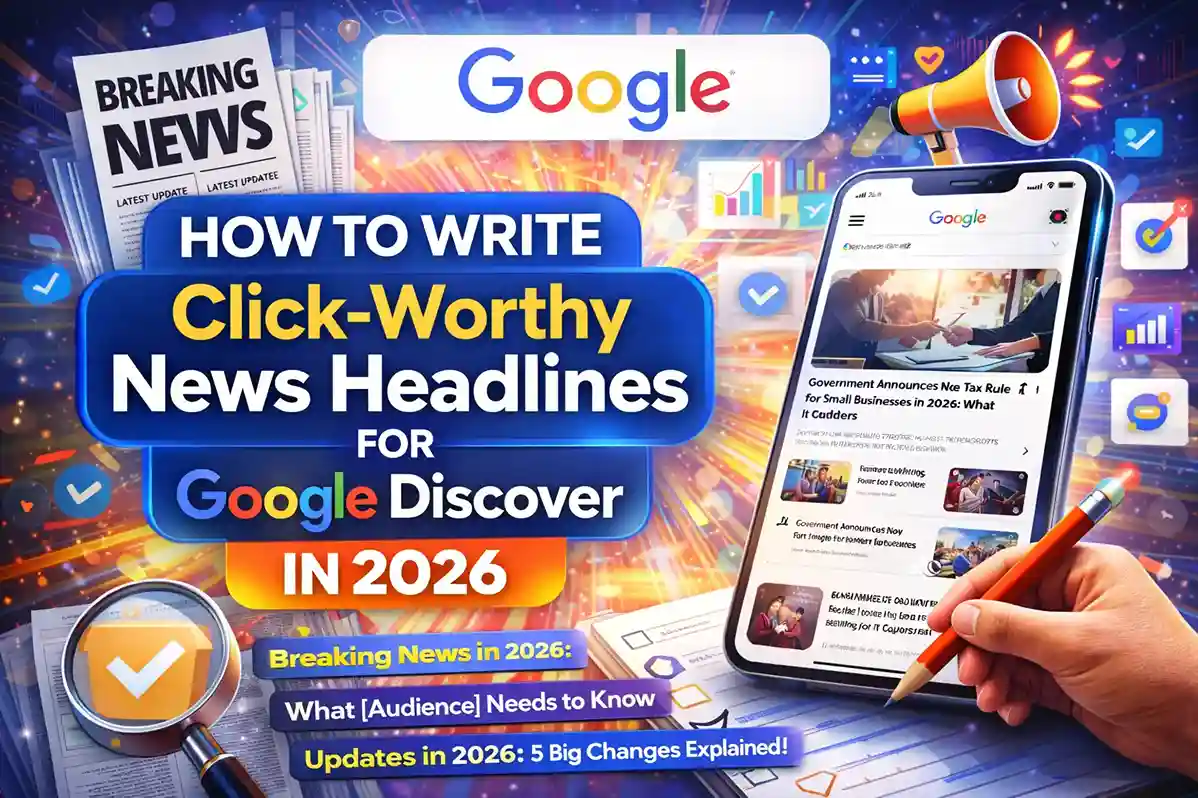

Featured images for Google Discover are one of the biggest factors that can influence clicks in 2026. Google Discover is a visual feed, which means readers often decide whether to open an article based on the image before they fully read the headline. If your image is weak, vague, or disconnected from the story, the article can be ignored. If it is sharp, relevant, and visually clear, it has a much better chance of getting attention. Google says Discover shows content related to user interests, and publishers can monitor Discover traffic in Search Console. Google’s image guidance also says image context, alt text, and quality help Google understand images better.
Why Featured Images Matter So Much in Google Discover
Google Discover is not a normal search results page. It is a recommendation feed, which means users scroll quickly and make split-second judgments. In that environment, the featured image has to do a lot of work. It must communicate the topic, reflect the tone, and feel trustworthy at a glance. Google’s Discover documentation explains that Discover content is related to user interests, and Google’s broader Search guidance emphasizes helpful, people-first content rather than pages created mainly to manipulate rankings.
A strong image can stop the scroll. A weak image can make even a good article feel less valuable. That is why publishers should treat the featured image as part of the article’s editorial strategy, not as a decorative extra. Google also recommends using words people would use to search for your content, keeping links crawlable, and placing important signals in prominent locations like titles, alt text, and link text. Those same principles apply to featured images because the image, headline, and body copy all work together to tell the story.
If you are also working on related articles like How to Get Google Discover Traffic for News Websites in 2026 or How to Write Click-Worthy News Headlines for Google Discover in 2026, the featured image becomes part of the same click strategy. Headline and image should support each other, not compete with each other.
What Google Wants From Featured Images
Google’s image guidance is very clear: use high-quality images near relevant text, and write alt text that is useful, information-rich, and in context. Google also warns against keyword stuffing in alt text because that creates a poor user experience and can look spammy. In other words, the image should help the reader understand the article, not just repeat the keyword.
For Google Discover, this means your image should be:
- relevant to the story,
- visually clean,
- large enough to look good on mobile,
- and aligned with the page content.
Google’s title-link guidance also matters here because the title and image are often seen together in the feed. Google notes that it automatically determines title links from several sources, so clear and descriptive titles help reinforce the subject of the page.
A good featured image is not random. It should match the article’s intent. If the post is about a product update, the image should reflect that. If the post is a guide, the image should feel educational. If the story is about news, the image should feel timely and editorial. That is consistent with Google’s guidance to focus on accuracy, quality, and relevance across web content and metadata.
How to Optimize Featured Images for Google Discover
The first step is to choose an image that matches the article topic exactly. If the article is about Google Discover optimization, the image should clearly show a mobile feed, a content card layout, or a clean publishing visual. If the article is about a breaking-news topic, the image should feel current and direct. Avoid generic stock images that do not add meaning.
The second step is to make the image easy to read on a phone. Google Discover is heavily mobile-driven, so a featured image should still look strong when it appears in a feed. Too much text, too many tiny objects, and cluttered compositions often perform poorly because users cannot process them fast enough.
The third step is to add a descriptive file name and alt text. Instead of uploading something like IMG_2026.png, use a descriptive name such as google-discover-featured-image-optimization-2026.png. For alt text, keep it short and descriptive. A better alt text would be: “featured image showing Google Discover traffic optimization for news websites.” That fits Google’s guidance on useful, contextual alt text and avoids keyword stuffing. Google’s image SEO page and older Search Central guidance both emphasize descriptive alt text and avoiding extra keyword noise.
The fourth step is to place the image near the top of the article so it supports the headline and introduction. This is especially important when you also publish related explainers like How to Optimize Content for AI Overviews in 2026 or How to Use Schema Markup to Rank in AI Search Results. Google says content should be understandable and links should be crawlable, so the visual and the article body should work together as one clear message.
If you are building a broader topic cluster, this same logic applies across related articles like How to Build Topical Authority for AI Search Results in 2026 and Why Your Website Is Not Showing in AI Answers. Strong visuals help strengthen the whole site, not just one article.
A Simple Google Discover Template for Featured Images
Use this simple process every time you create a featured image:
First, define the one main idea of the article.
Second, choose a visual that matches that idea.
Third, crop the image for mobile first.
Fourth, check that the image looks clean on small screens.
Fifth, write descriptive alt text that explains the image in context.
Sixth, make sure the article body supports the same topic.
This approach works because Google says image context matters, alt text matters, and page context matters. Discover traffic can also be tracked in Search Console, so it becomes easier to see whether your image strategy is helping over time. Google’s own documentation makes it clear that Discover and image understanding are connected to quality, relevance, and useful metadata.
If you are building a broader content cluster, the same logic applies across related articles like How to Build Topical Authority for AI Search Results in 2026 and How to Track AI Search Traffic in Google Search Console. Strong visuals help strengthen the whole site, not just one article.
Real Examples of Better Featured Images
Imagine two versions of the same article.
The first version uses a generic office photo with no clear link to the topic. It looks polished, but it does not explain the story.
The second version shows a smartphone with a Discover-style feed, a clean headline card, and a focused composition that clearly relates to Google Discover. The second version is much stronger because it gives the reader immediate context.
Another example: if you publish an article about improving Discover traffic, the featured image could show analytics, content cards, or a news-style feed. If the article is about click-worthy headlines, the image could show a bold title with a clean editorial layout. If the article is about ranking in AI search, the image could show structured content and digital publishing cues.
These examples matter because Google Discover is visually driven, and Google’s image guidance says higher-quality images give users enough context and detail to decide whether the page matches what they want. That same thinking applies to newer AI search experiences as well, where helpful and unique content performs better when it is packaged clearly.
That is why your featured image should never feel detached from the article. A strong image helps the page feel more complete, more trustworthy, and more clickable.
Common Mistakes to Avoid
One of the biggest mistakes is using a generic stock image just because it is available. Generic visuals can weaken the article’s identity and make it feel less relevant.
Another common mistake is adding too much text into the image. Mobile users may not be able to read it clearly, and it can make the image cluttered.
A third mistake is writing alt text that repeats the same keyword again and again. Google specifically warns against keyword stuffing in alt text. Alt text should explain the image, not try to game the algorithm.
A fourth mistake is using a great image with weak content. Google’s helpful content guidance makes it clear that the article itself must be useful and reliable. If the page feels thin or repetitive, the image will not rescue it. That is why related content like Why Your Website Is Not Showing in AI Answers and How to Improve Click-Through Rate When AI Overviews Reduce Traffic should be internally connected and updated with strong editorial quality.
How to Measure Whether Your Images Are Working
After publishing, use Search Console to check whether your Discover performance improves. Google says the Discover report shows traffic data for sites with meaningful visibility in Discover, and it is one of the best ways to see whether a new image style is helping or not. Google Search Console is also the right place to review whether your pages are being surfaced and clicked as expected.
Look at the articles that get more clicks and compare their images with the articles that perform less well. Ask a few practical questions: Was the image cleaner? Was the subject clearer? Did the article have a better headline? Did the image match the story more closely?
This is where your content cluster can help. If you also publish pages like How to Get Google Discover Traffic for News Websites in 2026 and How to Write Click-Worthy News Headlines for Google Discover in 2026, you can compare performance patterns across similar posts and learn which visual style is working best.
Featured Image Best Practices Checklist
Before you publish, make sure the featured image:
- matches the article topic exactly,
- looks good on mobile,
- uses a descriptive file name,
- has accurate alt text,
- feels editorial and trustworthy,
- avoids clutter,
- and supports the headline and first paragraph.
That checklist aligns with Google’s guidance on helpful content, image SEO, title clarity, and crawlable structure. Google’s Search Essentials says to make links crawlable and use words people would use to look for your content, while the image and title guidance says accuracy and context matter.
FAQs
What makes a featured image good for Google Discover?
A good Discover image is relevant, high-quality, mobile-friendly, and clearly connected to the article. It should help users understand the story quickly. Google says Discover surfaces content related to user interests and that image context matters.
Should I add text to the featured image?
Only if it is readable and genuinely useful. Too much text can make the image cluttered and harder to scan on mobile.
Does Google use alt text for images?
Yes. Google says useful alt text helps it understand the image subject matter, and it warns against keyword stuffing.
Can featured images improve click-through rate?
Yes. In a feed-based environment like Discover, the image can strongly influence whether a user stops scrolling and opens the article.
How do I know whether my image strategy is working?
Check Google Search Console’s Discover report and compare impressions, clicks, and CTR over time.
Conclusion
Featured images for Google Discover are not just design assets. They are a major part of how users decide what to click, especially in a feed where attention is limited. In 2026, Google is rewarding content that is original, useful, timely, and clear. That means the image should match the story, the headline should be accurate, the alt text should be descriptive, and the article should provide real value.
Author: LatestNewss Editorial Team
Category: Technology
Published: April 3rd, 2026